Crypto Arbitrage App — Find Price Gaps Across Exchanges (2026)
A crypto arbitrage app is a tool that watches the price of the same coin on many exchanges at once and instantly shows you where it is cheaper and where it is more expensive — so you can buy low on one and sell high on another.
Doing this by hand is impossible: prices on Binance, Bybit, OKX and a dozen other exchanges change every second, and a gap that looks like easy money often disappears after fees. A good crypto arbitrage app does the watching, the math and the net-profit calculation for you, in real time. This page explains what these apps actually do, the different kinds you'll find, how to use one safely, how to avoid the many fake 'arbitrage apps' that are really scams — and how ArbiScreen fits in.
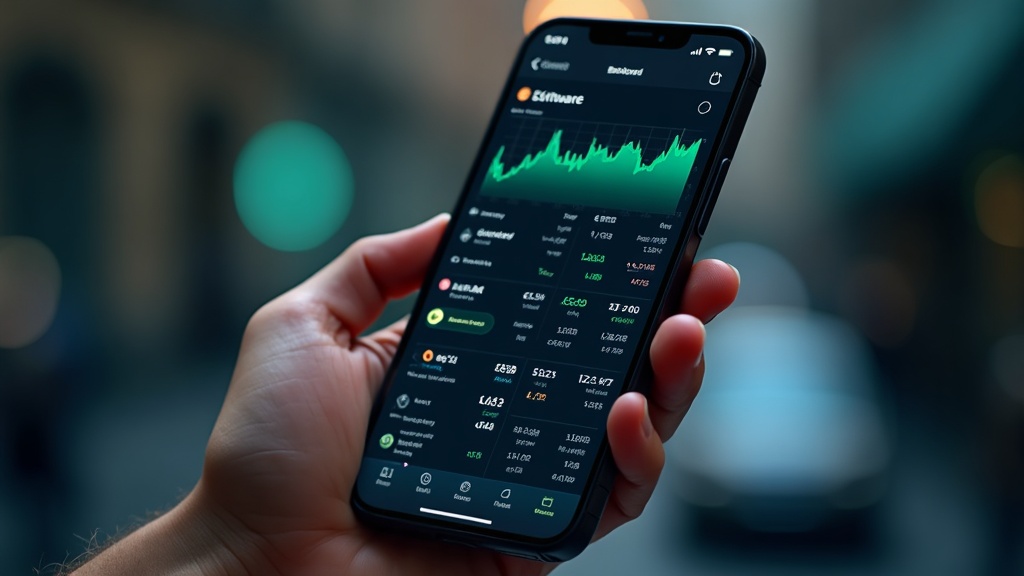
A crypto arbitrage app tracks the same coin across exchanges and shows the net-profit gap in real time.
What a Crypto Arbitrage App Actually Does
Strip away the marketing and every genuine crypto arbitrage app does four jobs. If a tool skips any of them, it isn't really helping you make money — it's just showing you numbers.
📡
Collects live prices
Pulls the current price of each coin from many exchanges at the same time, refreshing every few seconds so the data isn't stale.
📏
Measures the gap
Compares those prices and calculates the spread — the percentage difference between the cheapest and most expensive venue.
🧮
Subtracts the costs
Deducts trading fees, withdrawal fees and network gas so you see the net profit, not the misleading gross gap.
🔔
Flags the good ones
Sorts opportunities by real profit and (in better apps) alerts you the moment a worthwhile gap appears.
The one rule beginners must remember
A 3% spread on the screen is not 3% profit. You pay a trading fee to buy, a trading fee to sell, and often a withdrawal fee to move the coin between exchanges. A trustworthy app shows the number after all of that. If an app only shows the big gross percentage, treat it with suspicion.
The Types of Crypto Arbitrage App
'App' can mean several different things. Understanding the categories helps you pick the right one and keeps you safe.
Type
What it is
Good for
Watch out for
Scanner / screener (web app)
Shows live price gaps across exchanges; you place trades yourself
Beginners, learning, full control
Nothing — this is the safest, most transparent type
Signal / alert app
Sends you a message (often Telegram) when a gap appears
People who can't watch a screen all day
Fake 'guaranteed profit' channels
Trading bot
Connects to your exchange via API and trades automatically
Advanced users who understand the risks
Apps that ask for withdrawal permissions
'Investment' app
Promises fixed daily returns for a deposit
Nobody
Almost always a scam — see below
Web App, Mobile or Desktop — Which Is Best?
Accessibility matters. You want your arbitrage app reachable wherever you are, because opportunities are short-lived.
🌐
Web app
Opens in any browser on phone or laptop, nothing to install, always up to date. The most flexible option and how ArbiScreen works.
📱
Mobile app
Convenient for alerts on the go, but small screens make comparing many pairs harder. A good web app on mobile usually does the same job.
💻
Desktop app
Powerful for advanced users running bots, but ties you to one machine and needs installation and updates.
What to Look For in a Good Crypto Arbitrage App
1
Real-time data across many exchanges
The more exchanges it covers, the more gaps it finds. One or two exchanges is not enough to arbitrage anything.
2
Net-profit calculation
It must subtract fees automatically. This is the single most important feature and the one scam apps skip.
3
Transparency
You should be able to see where the price came from and verify it on the exchange yourself. No black boxes.
4
A free tier
You should be able to test the tool and see live opportunities before paying anything.
5
No custody of your funds
A legitimate scanner or signal app never holds your money. Your coins stay on your own exchange accounts.
⚠️ How to Spot a Fake Crypto Arbitrage App
Search 'crypto arbitrage app' and you'll find dozens of apps promising 'guaranteed 2% daily' or asking you to deposit funds into the app itself. These are the classic warning signs of a scam:
Red flags — walk away if you see these
• Promises of fixed or guaranteed daily returns (real arbitrage is variable and never guaranteed). • Asks you to deposit money into the app instead of trading on your own exchange. • Requires withdrawal API permissions (a scanner only needs read access, if any). • Pressure to recruit friends for bonuses (that's a pyramid). • No way to verify the prices independently.
A genuine arbitrage app is a window onto the market — it shows you information and leaves your money where it is safe. If an app wants to hold your funds and promises easy returns, it is not an arbitrage tool.
The ArbiScreen App — Free, Web-Based, 17 Exchanges
ArbiScreen is a web-based crypto arbitrage app you can open right now in any browser — no download, no deposit, nothing to install. It streams live prices across 17 exchanges, calculates net profit after every fee, and sorts opportunities so the best ones sit at the top. It covers spot spreads, spot-futures gaps, funding rates and regional (geo) premiums in one place. Your funds always stay on your own exchange accounts — ArbiScreen never touches them.
The free tier shows live top opportunities so you can see exactly how it works before deciding anything. Pro unlocks the full list, all exchanges and real-time alerts.
Start with spot spreads — the simplest form. ArbiScreen shows them by default, sorted by net profit.
2
Read the net number, not the gross
Look at the profit-after-fees column. That's your real edge. Ignore any headline gap that hasn't had costs removed.
3
Check liquidity and withdrawal networks
Make sure the coin can actually be moved between the two exchanges cheaply and that there's enough volume to fill your order.
4
Act quickly or set an alert
Gaps close fast. Either execute both legs promptly or let the app alert you when a fresh one appears.
5
Start small
Trade a small amount first to learn the mechanics — fees, transfer times, order fills — before scaling up.
How ArbiScreen Compares to Other Crypto Arbitrage Apps
The phrase "crypto arbitrage app" covers three very different kinds of tool. Knowing which one you are looking at saves you from custody risk and wasted subscriptions.
Exchanges and brokers - where you actually trade
Apps like Coinbase, Crypto.com, Binance, Bybit and OKX - or a broker such as eToro - hold your funds and let you buy and sell Bitcoin, USDT and other coins. They show prices on their own venue only, so a single exchange app can never reveal an arbitrage gap between two exchanges.
Trading bots - automation with added risk
Cryptohopper, Coinrule, Bitsgap, Pionex and TradeSanta automate trades through your exchange API keys. That can be powerful, but a bot needs deep permissions on your account, usually costs a monthly fee, and a misconfigured strategy can lose money while you sleep.
Scanners like ArbiScreen - find the gap, you stay in control
A crypto arbitrage scanner such as ArbiScreen never touches your funds. It watches 17 exchanges at once, subtracts every fee, and shows the real net-profit spread - then you place the trade yourself on your own accounts. It runs as a web application in any browser, so it works like a mobile app on iOS and Android with nothing to install and no API keys to hand over.
It is a tool that monitors the price of the same cryptocurrency across many exchanges simultaneously and shows you where it is cheaper and where it is more expensive, so you can buy low on one exchange and sell high on another. Good apps also subtract trading and withdrawal fees to show your real net profit.
Is there a free crypto arbitrage app?▼
Yes. ArbiScreen offers a free web-based tier that shows live top arbitrage opportunities across exchanges with net-profit figures, so you can start without paying. Paid plans unlock the full opportunity list, all exchanges and real-time alerts.
Are crypto arbitrage apps safe?▼
Legitimate scanner and signal apps are safe because they never hold your money — your funds stay on your own exchange accounts and the app only shows information. Be very cautious with any 'app' that asks you to deposit funds or promises guaranteed daily returns; those are typically scams.
Do I need to install anything?▼
Not with a web app. ArbiScreen runs in any browser on phone or computer, so there's nothing to download and it's always up to date. Some advanced trading-bot apps are desktop software, but a scanner does not need installation.
Can a crypto arbitrage app trade for me automatically?▼
Some apps (trading bots) connect to your exchange via API and place trades for you, but they carry extra risk and should only use read/trade permissions — never withdrawal access. A scanner like ArbiScreen shows the opportunities and you place the trades yourself, which is simpler and safer for beginners.
How much money do I need to use one?▼
You can watch and learn with any amount. Real net profit becomes meaningful from around a few hundred to a thousand dollars, because fixed fees eat small trades. The app itself is free to explore, so you can study opportunities before committing capital.